
Messages
Messages - SMS MessengerCommunication
3.91.21K Reviews
- Version
- 2.4.3
- Installs
- 10.00M
- Age Rating
- Everyone
Screenshots
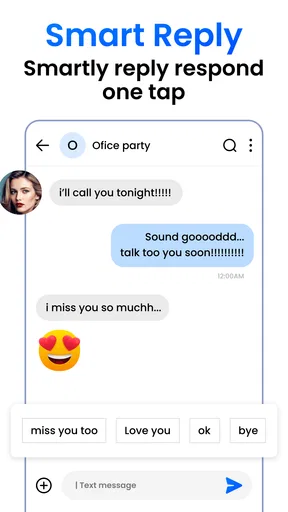
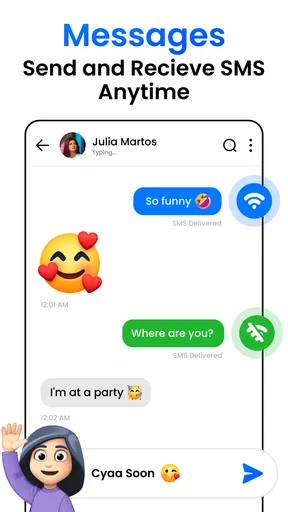
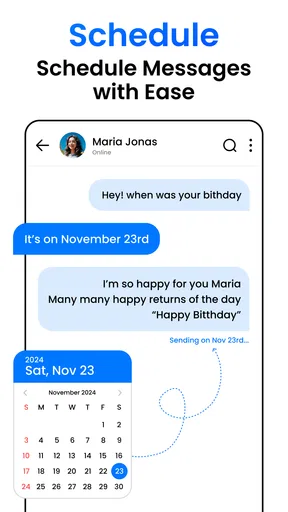
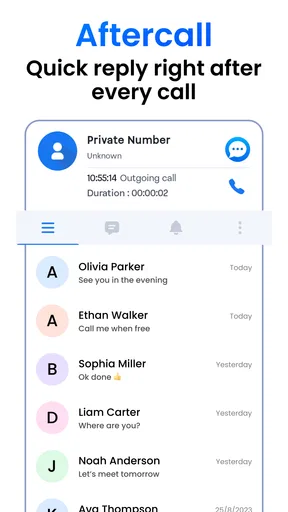
Our Review of Messages
 Analysis by Appyee
I judge a messaging app not only by how quickly it sends a note, but by whether I can comfortably find a conversation, read it, and respond in the situations where I actually need it. That matters even more when messages are part of coordinating family, work, or everyday errands. Messages is presented as a communication app from Messages - SMS Messenger, and its focus on texting makes it a familiar option to consider. My main question is how well that familiar format serves people with different needs and habits.
Choosing it for the job you need
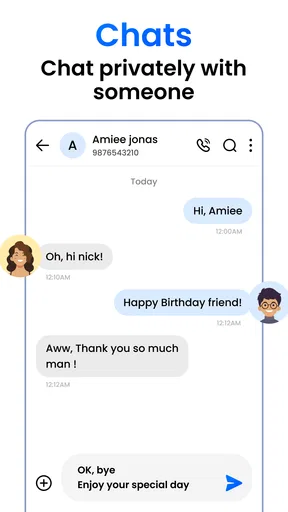
This app makes the most sense if your communication is mostly one-to-one or small-group messaging and you want a straightforward place to handle texts. For example, I can imagine using it to coordinate a pickup: one person sends the time, another replies with a change, and the conversation remains together instead of being scattered across calls and social feeds. A focused SMS app can be useful when the people you need to reach are not all on the same chat service.
That same focus is a reason to skip it if your daily conversations depend on a particular internet messaging platform, shared work spaces, or features that only function when everyone uses the same service. SMS-based communication and app-based chats do not always behave alike, so I would not assume every contact will have the same experience or that every message type works identically across devices. Before moving an important group conversation, I would check what the other people use and whether they can participate comfortably.
Compared with the messaging app already built into a phone, a separate option is worth considering only if its interface and everyday workflow suit you better. Compared with social messaging services, SMS has the practical advantage of reaching people through their phone numbers, while dedicated services can be a better fit when a group already relies on their shared tools. I would choose based on who I need to contact, not on a promise that one app can replace every channel.
A practical way to test the workflow
Rather than moving all my conversations at once, I would start with a low-stakes exchange: send a short message to someone I know, continue the conversation, then try a small group chat if that is part of my routine. This reveals whether finding a thread and returning to it feels natural without putting an important appointment or urgent plan at risk. It is also a useful way to notice how the app behaves with the people and devices I actually communicate with.
For a busy day, I would keep messages brief and specific: include the place as well as the time, and confirm a change in the same thread. That is not a special feature, but a simple habit that helps avoid confusion when several people are coordinating. If I need to share sensitive details, I would pause before sending and consider whether ordinary SMS is appropriate for that conversation rather than assuming every message has the same privacy protections.
Getting Started with Messages
First things first, setting up Messages is a breeze. If you're on Android, you're probably already using it as your default SMS and MMS app. For iOS users, this is your go-to for iMessages. The app is sleek, intuitive, and integrates seamlessly with your existing contacts and chat history. I found the setup process to be straightforward, with no complicated steps or confusing menus. Just download, open, and you're ready to chat.
The Interface: Clean and User-Friendly
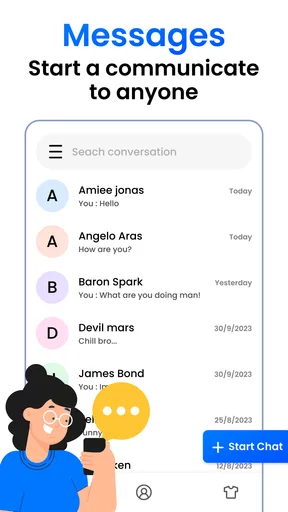
One of the things I love about Messages is its clean interface. It's got that minimalist vibe that makes it super easy to navigate. Everything is laid out logically, with your recent conversations right there when you open the app. No clutter, no fuss. Just simple, effective communication. And, let's be honest, in a world full of flashy apps, a bit of simplicity can be refreshing.
For readability, a conversation list that puts recent threads first can help me get back to the person I need without hunting through extra screens. I would still check how comfortably the text and controls display on my own device before making it my main inbox, particularly if I read on a smaller screen or prefer larger lettering. A clean layout is a good starting point, but it is not a substitute for testing whether the actual text is easy for me to follow during a long exchange.
Features That Keep You Connected
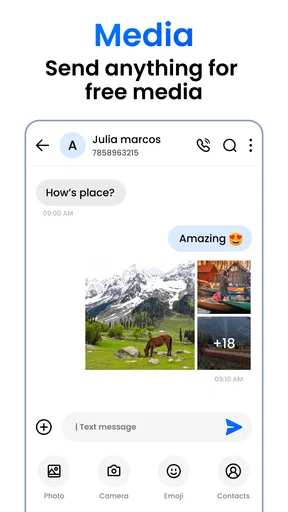
Now, let's talk about the features. Messages isn't just about sending texts. It's packed with a ton of cool stuff that makes staying in touch a whole lot easier. For starters, you've got the ability to send photos, videos, and even voice messages. I found the media sharing to be smooth and hassle-free, with no noticeable lag or glitches.
Media changes the trade-offs of texting. A photo can show which item someone means, while a voice message may be easier than typing a long explanation when hands are occupied. On the other hand, a voice note is not always convenient for a recipient who is in a quiet room, cannot play audio, or would rather scan text. I would use it when the other person can listen, and follow up with a written detail if the exact time, address, or instruction matters.
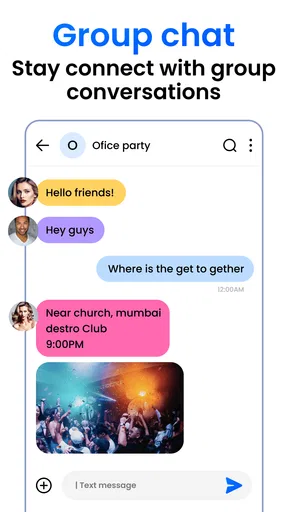
There’s also the group chat feature, which is perfect for keeping in touch with friends and family. Whether you're planning a get-together or just catching up, having everyone in one chat makes life a little simpler. Plus, the app supports emojis, GIFs, and stickers, because sometimes words just aren't enough to express how you feel.
Group threads work best when the purpose is clear. For a family plan, I would put the key decision in plain text rather than relying on a reaction or sticker that someone could interpret differently. If the group includes people who prefer not to receive a stream of updates, keeping the thread focused and avoiding unnecessary media can make it easier to follow. That small bit of discipline often matters more than adding another expressive option.
Staying Secure
In today’s digital age, security is a big deal. Thankfully, Messages has got you covered. On iOS, your iMessages are encrypted end-to-end, which means your conversations are for your eyes only. Android users also benefit from Google's robust security measures, ensuring that your messages are kept safe from prying eyes. It's nice to know that your privacy is a top priority.
I would treat privacy as a reason to choose the right channel for each conversation, not as a reason to send every kind of information through a messaging app. The distinction between a standard text and a message sent through a platform-specific service can affect what protections apply. If I am discussing something private, I would first make sure I understand which kind of message is being used and whether the recipient is using a compatible service. For routine coordination, that extra check may be unnecessary; for sensitive matters, it is sensible.
Customization Galore
If you're like me and love a bit of personalization, Messages doesn't disappoint. You can customize chat themes, change bubble colors, and even set individual notification tones for different contacts. It's these little touches that make the app feel more personal and tailored to your style. I spent a good chunk of time just playing around with the customization options, and it's safe to say, I'm hooked.
Personal touches can also serve a practical purpose: a distinct tone for an important contact may help me recognize who is trying to reach me without immediately opening the phone. But more notification cues are not always better. If constant alerts interrupt reading, work, or rest, I would keep personalization selective and use only distinctions that genuinely help. The point is to make incoming messages easier to sort, not to turn every conversation into another demand for attention.
Using it across different situations
For someone with limited time to look at a screen, a concise text exchange may be easier to manage than a call that requires both people to be available at once. A user who has difficulty typing might find a voice message useful in some circumstances, while someone who cannot rely on audio may prefer text. Those options can make communication more flexible, but they do not guarantee that every task is equally easy for every person.
When I am walking, carrying bags, or trying to manage another task, I would avoid composing a detailed message on the move. I would wait until I can attend to the screen, or send only a short, clear note if it is safe to do so. A messaging app can support asynchronous replies, but it cannot remove the risks of dividing attention. For an urgent situation where a delayed response could cause trouble, I would choose a more suitable way to reach the person.
At home, a simple workflow can be enough: open the conversation, check the latest message, and reply in the same thread. For a recurring group plan, I would keep details in one conversation and restate any changed time or location clearly. If people are using different kinds of devices or messaging services, I would confirm that everyone received the important update instead of assuming a message looks and behaves the same for the whole group.
Where the experience can still fall short
A clean screen helps, but the app should not be mistaken for a fully adaptable communication setup. I would assess the text, contrast, tap targets, and notification behavior on the device I plan to use, and check whether the phone’s own display and accessibility settings make the experience more comfortable. If navigating a thread or identifying who sent a message remains difficult, a familiar built-in option or another service that better fits my needs may be the wiser choice.
There is also a social limitation: an app is only useful when the people I need to contact can receive and respond to messages in a way that works for them. Someone may have limited data access, prefer calls, or need written communication rather than audio. I would not treat one channel as universally accessible. Asking a close contact what works best can prevent a well-meant message from becoming an obstacle.
Messages - SMS Messenger is free to download, with in-app purchases listed from around four to thirty dollars per item. It is rated for Everyone, has a 4.2 average from around 135,000 ratings, and has been installed over ten million times. It was released in late 2023, and version 2.4.2 is the current version. Those figures give a sense of its reach, but they do not tell me whether its interface suits my eyesight, dexterity, hearing, or daily routine; trying a real conversation on my own device is the more useful test.
Final Thoughts
So, after spending some quality time with Messages, what's the verdict? Well, it's a solid messaging app that does exactly what it promises: keeps you connected in a simple, secure, and efficient way. Whether you're an Android or iOS user, the app blends seamlessly into your daily routine, making communication a breeze.
In a nutshell, if you haven't already given Messages a go, it's definitely worth checking out. It's reliable, user-friendly, and packed with features that enhance your messaging experience. Plus, with its focus on security and customization, it's clear that this app is designed with the user in mind. So, go ahead, give it a whirl, and see how it fits into your life.
My inclusive verdict
I would recommend Messages to someone who wants a familiar texting workflow, values a conversation list that is easy to scan, and communicates with people who can use the same channel. Its appeal is strongest when clarity and quick, ordinary exchanges matter more than a large set of collaboration tools. A free starting point makes it reasonable to try, but I would not pay for optional items unless I knew they addressed a need I actually had.
I would steer a friend toward another option if they need a specific accessibility feature they cannot verify on their device, depend on a shared internet-messaging service, or want strong assurance about how every kind of message is protected. My practical recommendation is to test a short text, a group exchange, and any media type you expect to use, then judge the reading and notification experience in your normal setting. That gives a much better answer than assuming a simple interface will suit everyone.
Verdict
Strengths of Messages
- Clean, intuitive interface enhances user experience.
- Seamless integration with various devices.
- Rich media support for photos and videos.
- End-to-end encryption for secure messaging.
- Supports a wide range of emojis and stickers.
Limitations of Messages
- Limited customization options for themes.
- No scheduling feature for messages.
- Lacks advanced search functionality.
- No native support for third-party plugins.
- Requires internet connection for all features.
Similar Picks in This Category
View All
Google Messages
Google LLC4.6

Gmail
Google LLC4.1

Google Meet
Google LLC4.4

Google Chrome
Google LLC4.1

WhatsApp Messenger
WhatsApp LLC4.6

Carrier Services
Google LLC4.2
Frequently Asked Questions
What features does the Messages app offer?
The Messages app provides a robust set of features including text messaging, multimedia sharing (photos, videos, and audio), group chats, and support for emojis and stickers. It also integrates with other apps for seamless sharing and offers end-to-end encryption for secure conversations.
Is the Messages app secure and private?
Yes, the Messages app prioritizes user privacy and security. It uses end-to-end encryption to ensure that only you and the person you're communicating with can read what's sent. Additionally, the app does not store messages on servers, enhancing your privacy.
Can I use the Messages app across different devices?
The app supports cross-device functionality, allowing you to send and receive messages on multiple devices. However, ensure your devices are synced and connected to the internet for seamless operation. Check compatibility with non-native devices for optimal performance.
Does the Messages app support multimedia sharing?
Absolutely, the Messages app allows you to share a variety of media, including photos, videos, and audio clips. You can also send GIFs and stickers to make conversations more engaging. There are no extra charges beyond standard data rates for multimedia messaging.
Are there any costs associated with using the Messages app?
The Messages app itself is free to download and use. However, standard messaging and data rates from your carrier may apply, especially for SMS and MMS. Ensure you understand your carrier's charges to avoid unexpected fees.
